> ## Documentation Index
> Fetch the complete documentation index at: https://docs.embeddables.com/llms.txt
> Use this file to discover all available pages before exploring further.
# How To: Run custom code when the Embeddable loads
> Running JS code on first load, e.g. to run a function or add an event listener
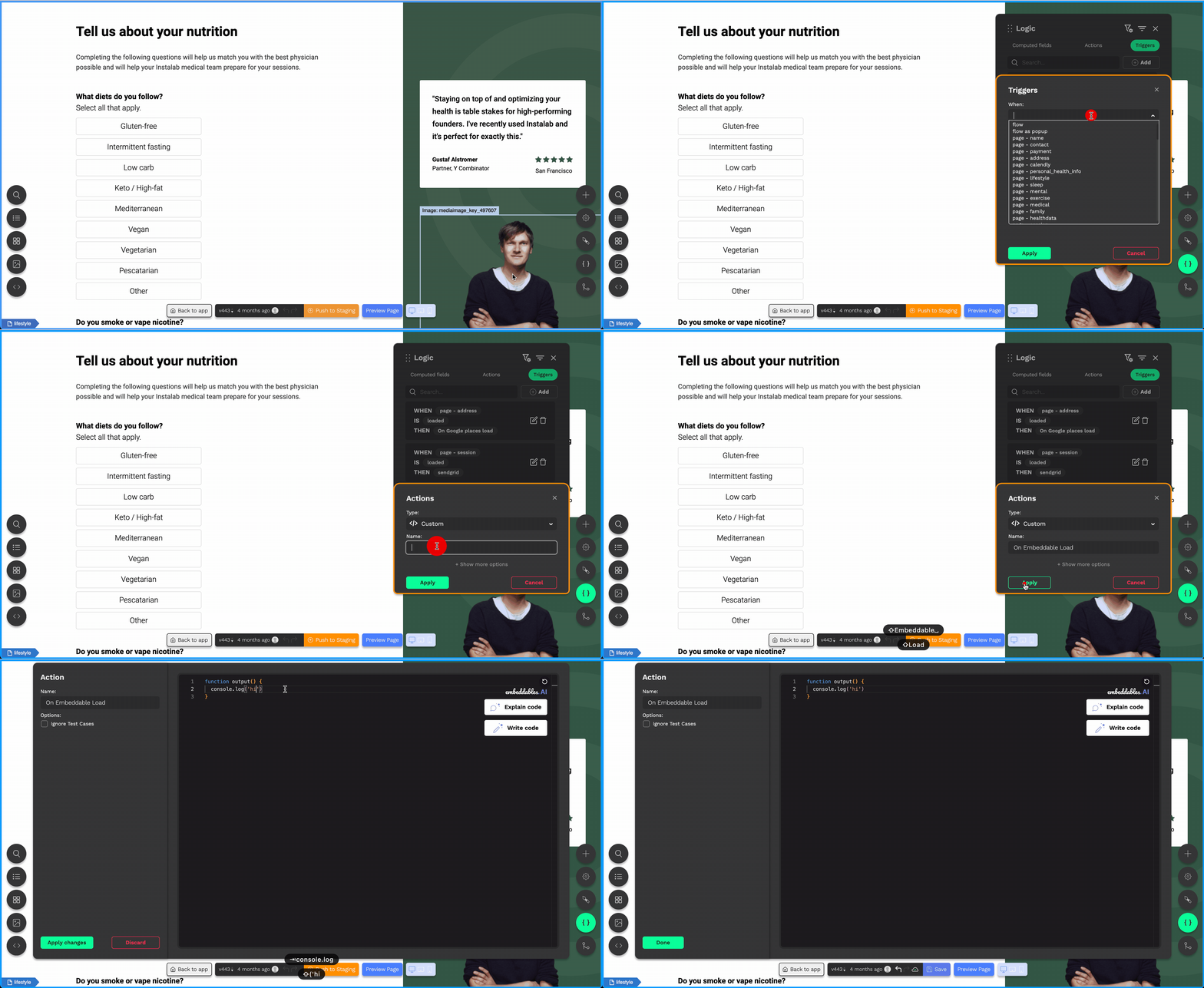 * Open the Logic card.
* Switch to the Triggers tab.
* Add a new Trigger.
* Select `When "Flow" Is "Loaded"`.
* Click "Create New Action".
* Give it a name.
* Hit Apply.
* Add whatever custom JS you like inside the `output()` function.
* The first argument of `output()` is the User Data, and the other arguments
are [described here](/guides/custom-code).
* The code will execute on the frontend, in the main window environment,
so has access to window functions and variables.
Read more about writing Custom Code in Embeddables, including all the
available arguments passed in to the function.
* Open the Logic card.
* Switch to the Triggers tab.
* Add a new Trigger.
* Select `When "Flow" Is "Loaded"`.
* Click "Create New Action".
* Give it a name.
* Hit Apply.
* Add whatever custom JS you like inside the `output()` function.
* The first argument of `output()` is the User Data, and the other arguments
are [described here](/guides/custom-code).
* The code will execute on the frontend, in the main window environment,
so has access to window functions and variables.
Read more about writing Custom Code in Embeddables, including all the
available arguments passed in to the function.