> ## Documentation Index
> Fetch the complete documentation index at: https://docs.embeddables.com/llms.txt
> Use this file to discover all available pages before exploring further.
# Publish your Embeddable via a Reverse Proxy
> Configure a reverse proxy to serve Embeddables on your domain
This guide explains how to set up a reverse proxy to serve Embeddables content through your own domain.
Looking for other ways to publish your Embeddable? Check out the [Publish to your site](/features/publish-to-your-site) guide.
## Overview
Publishing your Embeddable via a reverse proxy can be done in 2 steps:
1. Point your page to our proxy server (`https://proxy.embeddables.com`)
2. Pass the `X-Embeddables-Id` header with the correct Embeddable ID
## Advantages of using a reverse proxy
* **Simplicity**: Unlike embedding in your site via our embed code, there is no need to set up a blank page on your site to host the Embeddable.
* **Speed**: The Embeddable rendered directly from our proxy server, so the extra client-side fetch from our embed code is skipped.
## Setting up a reverse proxy
Configure your reverse proxy to point to `https://proxy.embeddables.com`. This is the main endpoint that will serve your Embeddable content.
For example, in Nginx:
```nginx theme={null}
location /your-reverse-proxy-page {
proxy_pass https://proxy.embeddables.com;
proxy_set_header Host $host;
proxy_set_header X-Real-IP $remote_addr;
}
```
Visit `https://yourdomain.com/your-reverse-proxy-page` in your browser. You should see content similar to what appears on `https://proxy.embeddables.com`.
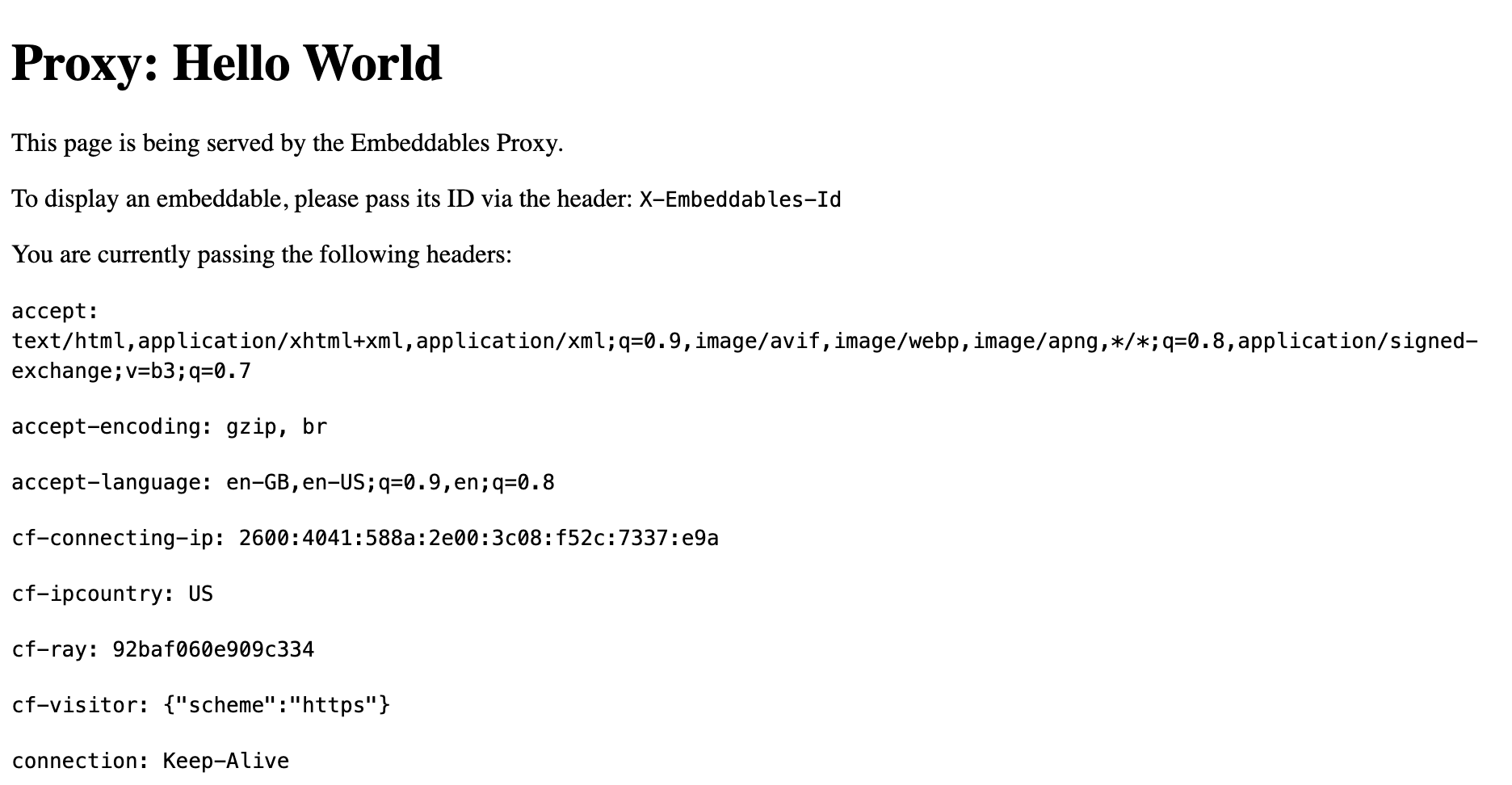 Add the `X-Embeddables-Id` header to your proxy configuration. This header tells the proxy which specific Embeddable to serve.
In Nginx, add this to your configuration:
```nginx theme={null}
proxy_set_header X-Embeddables-Id "your_embeddable_id";
```
In Apache:
```apache theme={null}
RequestHeader set X-Embeddables-Id "your_embeddable_id"
```
You can customize the page metadata by adding these optional headers:
* `X-Embeddables-Title`: Sets the page title
* `X-Embeddables-Description`: Sets the page meta description
* `X-Embeddables-Favicon`: Sets the page favicon URL
Refresh your page at `https://yourdomain.com/your-reverse-proxy-page`. You should now see your specific Embeddable being served with your custom metadata.
Common issues at this stage:
* Incorrect Embeddable ID
* Missing or malformed headers
* Caching issues (try clearing your browser cache)
* Propagation time (try waiting a few minutes)
## Example Configurations
### Apache
```apache theme={null}
ProxyPass https://proxy.embeddables.com
ProxyPassReverse https://proxy.embeddables.com
RequestHeader set X-Embeddables-Id "your_embeddable_id"
RequestHeader set X-Embeddables-Title "Your Custom Title"
RequestHeader set X-Embeddables-Description "Your custom description for SEO"
RequestHeader set X-Embeddables-Favicon "https://yourdomain.com/favicon.ico"
```
### Nginx
```nginx theme={null}
location /your-reverse-proxy-page {
proxy_pass https://proxy.embeddables.com;
proxy_set_header X-Embeddables-Id "your_embeddable_id";
proxy_set_header X-Embeddables-Title "Your Custom Title";
proxy_set_header X-Embeddables-Description "Your custom description for SEO";
proxy_set_header X-Embeddables-Favicon "https://yourdomain.com/favicon.ico";
proxy_set_header Host $host;
proxy_set_header X-Real-IP $remote_addr;
proxy_set_header X-Forwarded-For $proxy_add_x_forwarded_for;
proxy_set_header X-Forwarded-Proto $scheme;
}
```
## Common Issues
1. **Content Not Loading**
* Verify your reverse proxy configuration.
* Check that the `X-Embeddables-Id` header is correctly set.
* Check that the Embeddable you're trying to access has been **pushed to production**.
* If not, then you'll need to add the `?savvy_flow_version=latest` query parameter to the URL to preview the latest version.
* Ensure your domain's SSL certificate is valid.
* Clear your browser cache.
* Wait a few minutes for propagation to take effect.
2. **Wrong Content Appearing**
* Double-check the Embeddable ID.
* Verify the proxy\_pass URL is correct.
* Clear your browser cache.
Add the `X-Embeddables-Id` header to your proxy configuration. This header tells the proxy which specific Embeddable to serve.
In Nginx, add this to your configuration:
```nginx theme={null}
proxy_set_header X-Embeddables-Id "your_embeddable_id";
```
In Apache:
```apache theme={null}
RequestHeader set X-Embeddables-Id "your_embeddable_id"
```
You can customize the page metadata by adding these optional headers:
* `X-Embeddables-Title`: Sets the page title
* `X-Embeddables-Description`: Sets the page meta description
* `X-Embeddables-Favicon`: Sets the page favicon URL
Refresh your page at `https://yourdomain.com/your-reverse-proxy-page`. You should now see your specific Embeddable being served with your custom metadata.
Common issues at this stage:
* Incorrect Embeddable ID
* Missing or malformed headers
* Caching issues (try clearing your browser cache)
* Propagation time (try waiting a few minutes)
## Example Configurations
### Apache
```apache theme={null}
ProxyPass https://proxy.embeddables.com
ProxyPassReverse https://proxy.embeddables.com
RequestHeader set X-Embeddables-Id "your_embeddable_id"
RequestHeader set X-Embeddables-Title "Your Custom Title"
RequestHeader set X-Embeddables-Description "Your custom description for SEO"
RequestHeader set X-Embeddables-Favicon "https://yourdomain.com/favicon.ico"
```
### Nginx
```nginx theme={null}
location /your-reverse-proxy-page {
proxy_pass https://proxy.embeddables.com;
proxy_set_header X-Embeddables-Id "your_embeddable_id";
proxy_set_header X-Embeddables-Title "Your Custom Title";
proxy_set_header X-Embeddables-Description "Your custom description for SEO";
proxy_set_header X-Embeddables-Favicon "https://yourdomain.com/favicon.ico";
proxy_set_header Host $host;
proxy_set_header X-Real-IP $remote_addr;
proxy_set_header X-Forwarded-For $proxy_add_x_forwarded_for;
proxy_set_header X-Forwarded-Proto $scheme;
}
```
## Common Issues
1. **Content Not Loading**
* Verify your reverse proxy configuration.
* Check that the `X-Embeddables-Id` header is correctly set.
* Check that the Embeddable you're trying to access has been **pushed to production**.
* If not, then you'll need to add the `?savvy_flow_version=latest` query parameter to the URL to preview the latest version.
* Ensure your domain's SSL certificate is valid.
* Clear your browser cache.
* Wait a few minutes for propagation to take effect.
2. **Wrong Content Appearing**
* Double-check the Embeddable ID.
* Verify the proxy\_pass URL is correct.
* Clear your browser cache.